Registration and login
You need an openCode account to create or edit projects.
How registration works
- Visit https://https://opencode.de/en/register
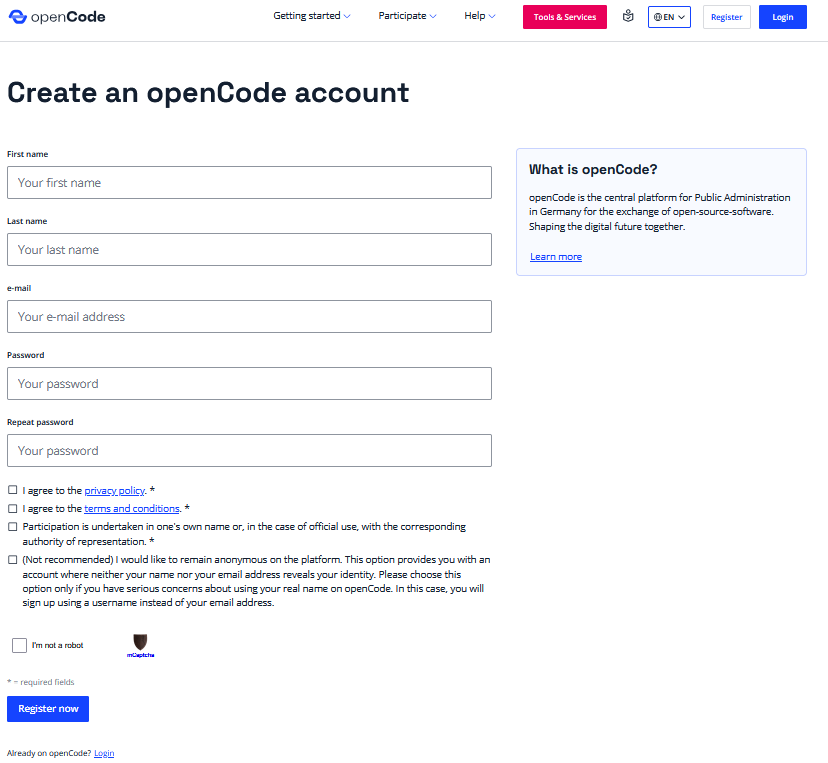
- Enter your work email address, full name, and a secure password.
- Confirm your email address via the link you received by email.
You can then log in at any time via https://gitlab.opencode.de.
Info
-
To access the full range of openCode functions, you need an email address belonging to the public administration. If you want to use openCode but do not belong to the public administration, you can read about the options for using openCode here.
-
Please note that your email address will not be stored in the system if you create an anonymous openCode account. To log in, you will need the automatically generated username (OC0000XXXX).
Setting up two-factor authentication (2FA)
Two-factor authentication is required during registration. 2FA is a security mechanism that protects access to your openCode account.
You will see this dialog during the registration process:
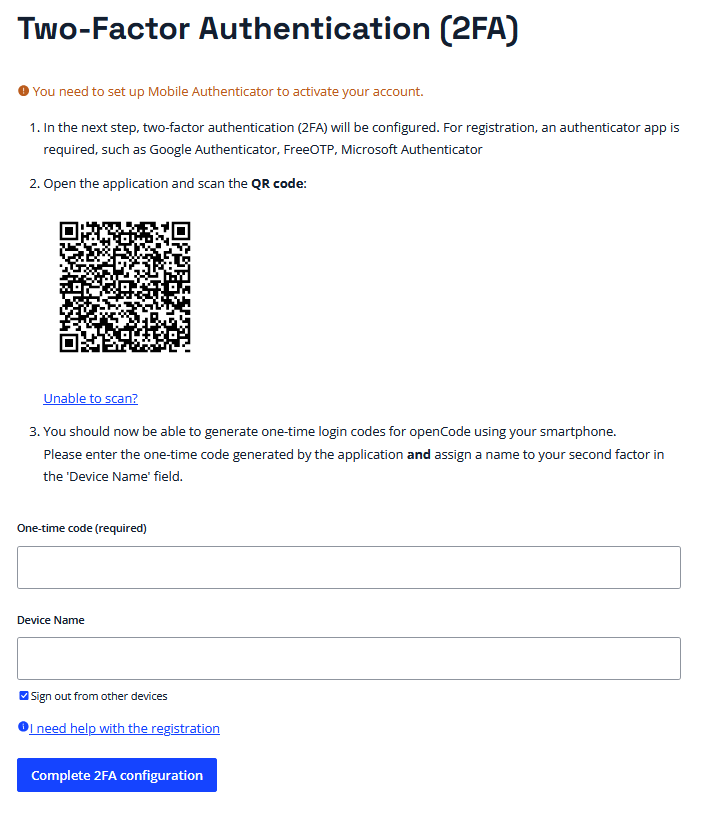
- At this point, choose a meaningful device name (e.g., “work phone”). This information is optional, but it can help you better identify your second factor.
-
Now you need an authenticator app (e.g., FreeOTP) on your second device, such as your “work phone.” We recommend:
-Android: FreeOTP Authentificator in the Play Store oder
-iOS: FreeOTP Authentificator in the App Store -
Set up the app. If you already use an authenticator app, you can simply add openCode there.
- Now generate a login code using your authenticator app.
- Enter this login code in the “One-time code (required field)” input field on the login page.
- Finally, click on the “Complete 2FA authentication” button on the website.
The openCode dashboard
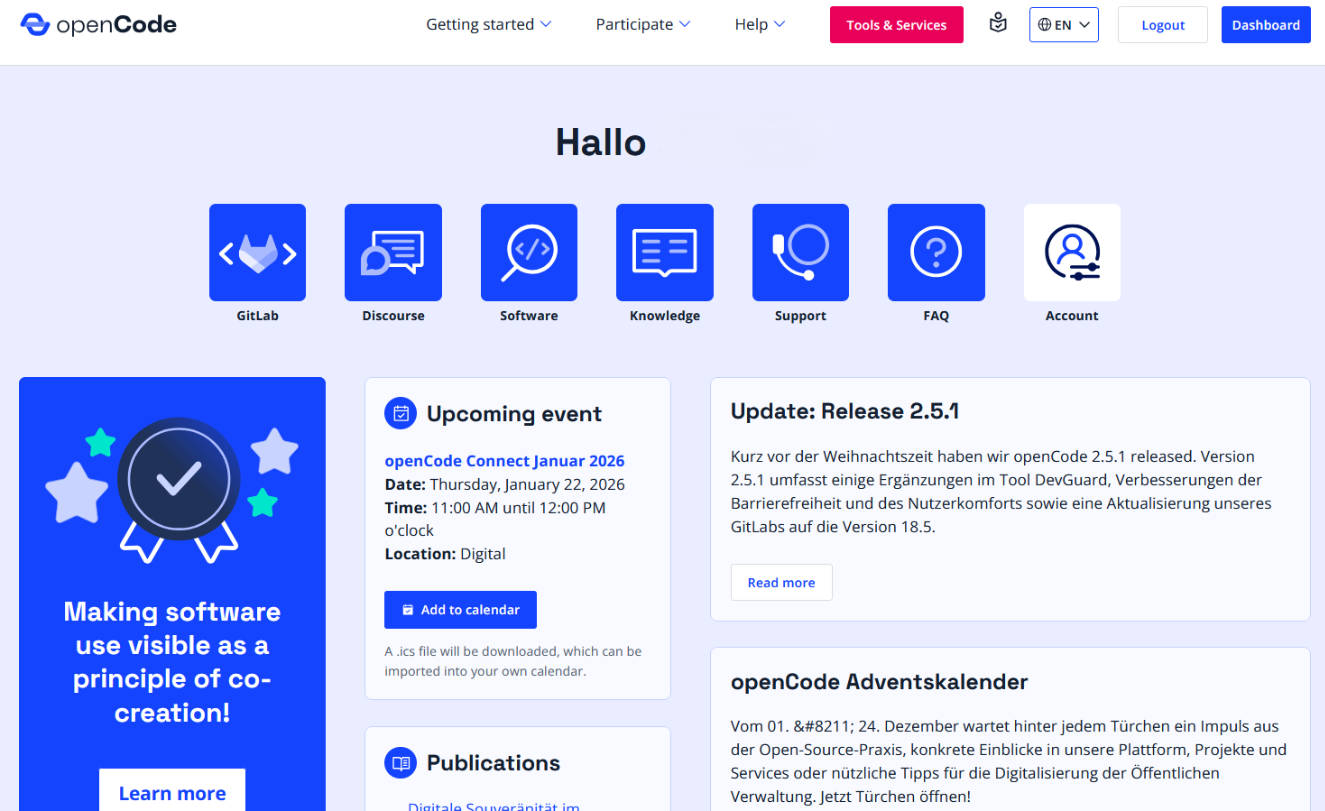
After successfully logging in, you will automatically be taken to the dashboard—your personal home page. From here, you can easily navigate to the various subpages and find out more about the latest news on the platform and upcoming events. You can also change your account settings here.
Frequently asked questions and problems
Using openCode outside of public administration
The openCode platform is generally open to everyone. However, advanced features are reserved exclusively for public administration employees. This overview shows which openCode features are also available to users outside of public administration:
| Feature | Public administration | Non-public administration |
|---|---|---|
| Contribute code to projects | ||
| Report errors | ||
| Participate in discussions on Discourse | ||
| Create new projects | ||
| Create merge requests | ||
| Fork projects |
If you would like to contribute code to a project without belonging to a public institution yourself, you must be added to the project or group by a public administration employee. If, for example, you work on behalf of the public administration, please contact your contact person there.
How can I check whether my email has been assigned to the public administration
To do this, you can search for the domain of your email address (the part after the @ sign) in our whitelist here.
If you cannot find an entry for your domain but still belong to the public administration, please contact us by email at info@opencode.de.
Why can't I create new projects?
- If you belong to the public administration and still cannot create projects, it may be that we have not included your email domain in our list of approved domains. In this case, please contact us directly by email at info@opencode.de.
- If you are not part of the public administration but still want to contribute to a project, you need an invitation to the project or group from someone in the public administration.